Reimagine Premium Travel Campaigns Featuring Remote Luxury Resorts
The most expensive thing a resort can offer isn't a pool or a spa. It's the feeling of being a long way from everything else. An island with no crowds, a lodge reachable only by boat, a clifftop villa where the only sound is wind. That feeling is hard to capture in a brochure, and expensive to film in places that are hard to reach.
With an AI video maker like Dreamina, travel marketers can prototype a campaign from a handful of still images. This post covers how to plan a premium resort film, which moments sell seclusion, and how Seedance 2.5 supports polished, multilingual campaigns.
What remote luxury really sells
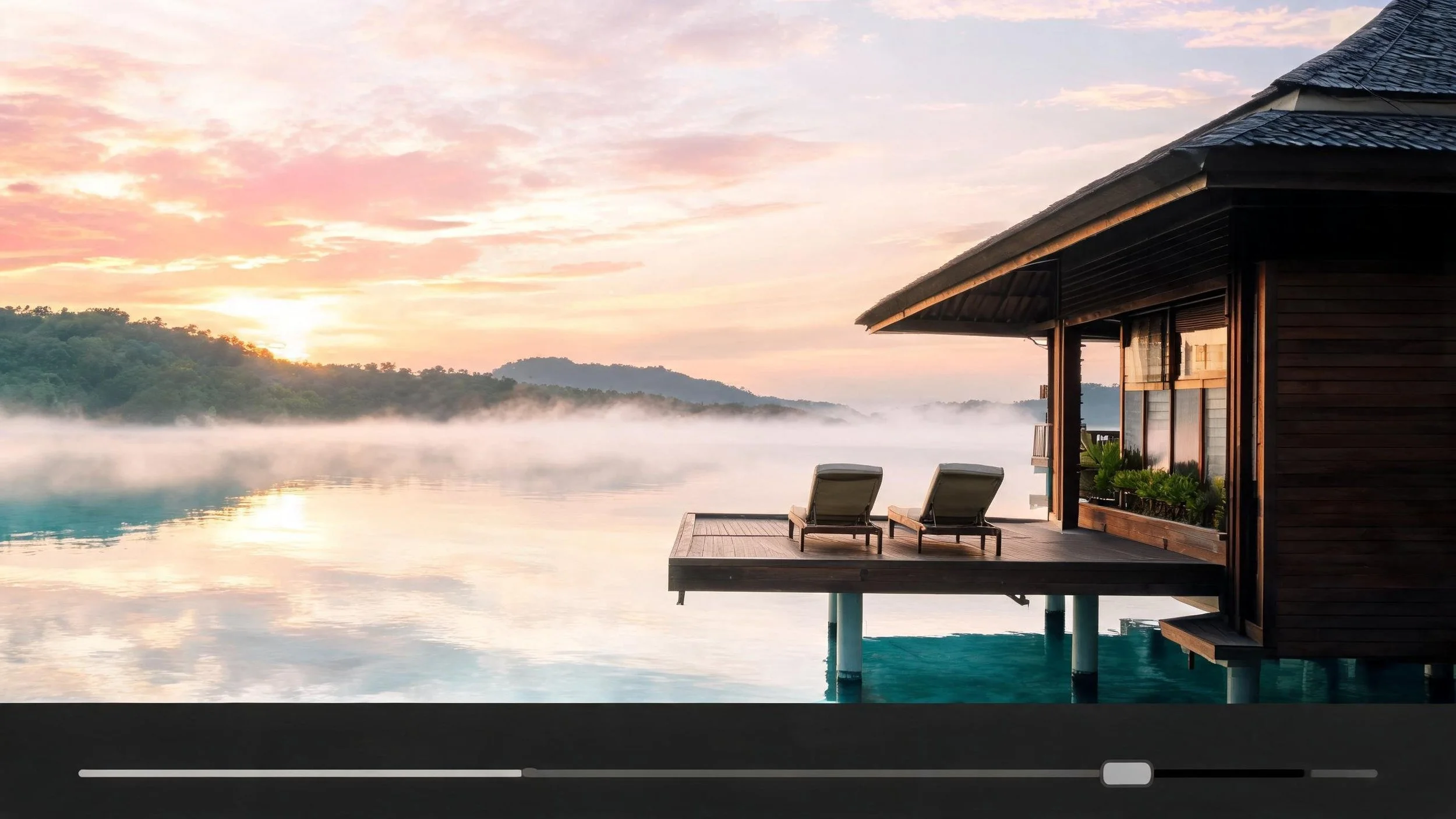
People who book places like this aren't just buying a room. They're buying silence, privacy and the sense that the world has been paused for them. So the campaign shouldn't show crowds, busy buffets or packed pools. It should show space: long horizons, empty beaches, a single figure on a deck. Details matter too, like the weight of a linen napkin or the sound of a screen door closing. These small cues tell the viewer the resort understands comfort at a deeper level than a list of amenities can explain.
Moments that sell a distant resort
Select those moments where distance feels like a blessing:
The arrival of a seaplane in the still waters of the lagoon in the early morning
Traveling by boat to a deserted beach
A breakfast served in solitude from any other human on your deck
A hammock swinging over a secluded bay
A night full of stars seen through lantern-lit terrace
Step by step: creating a resort film
Step 1: Write a text prompt
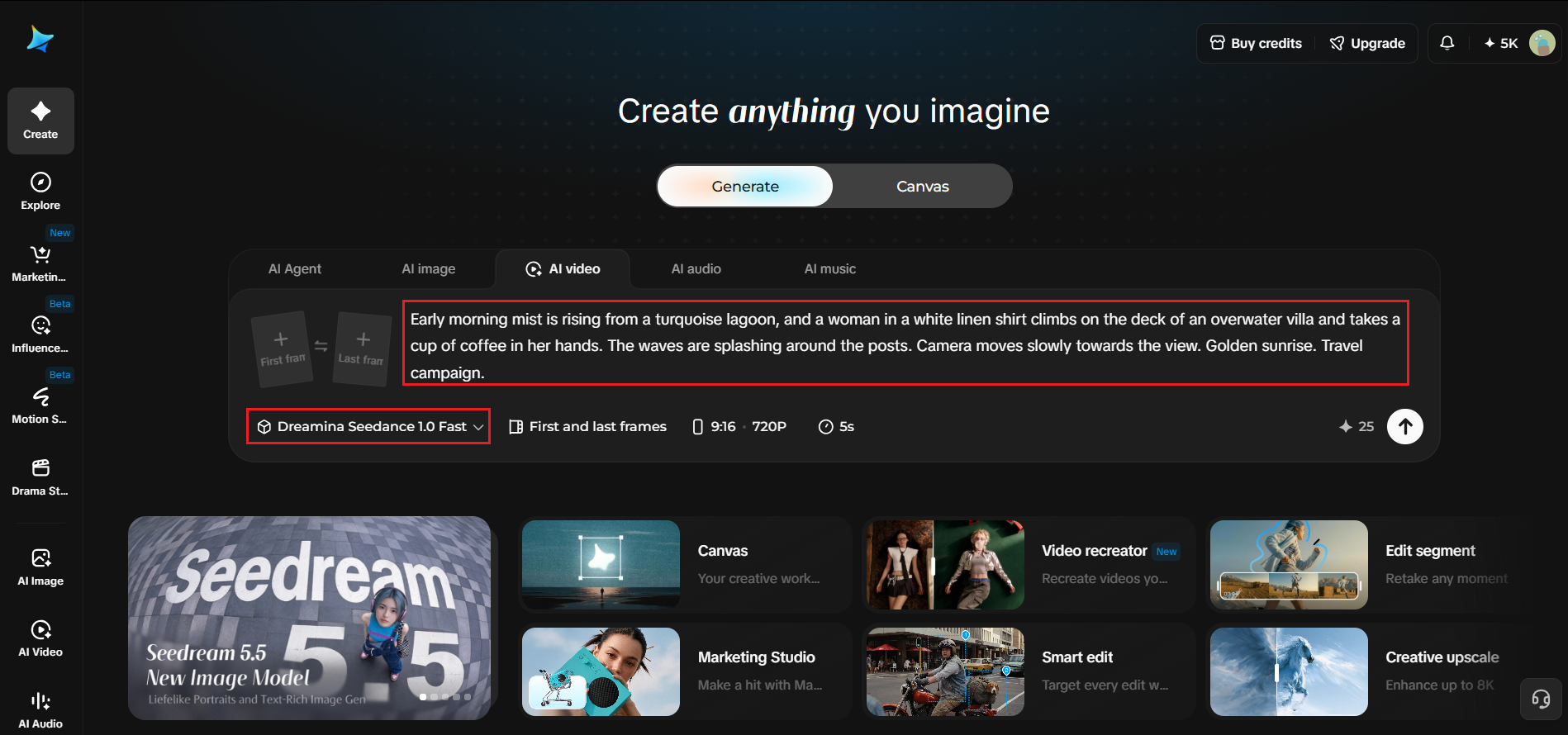
Go to Dreamina, log in and navigate to "AI Video" tab.
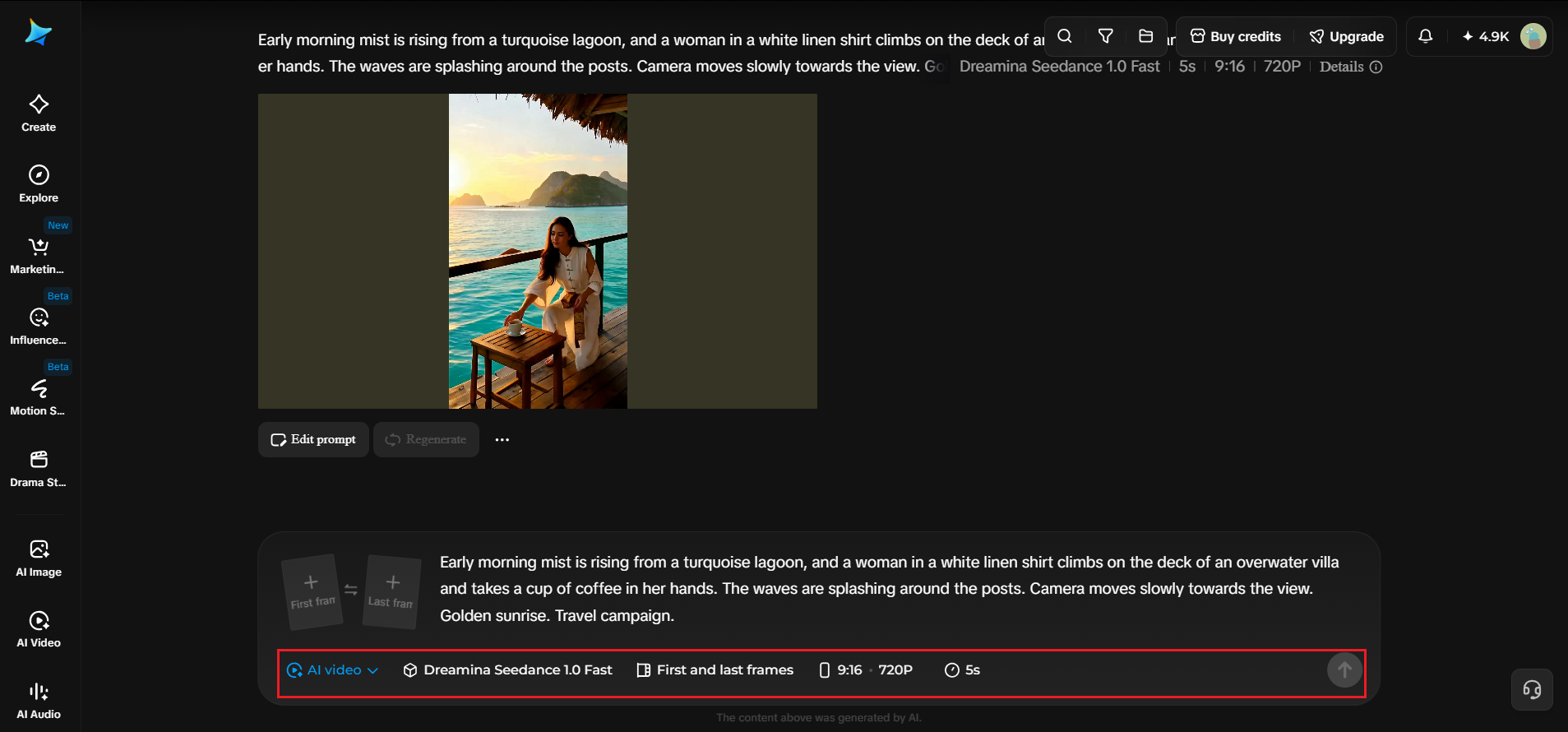
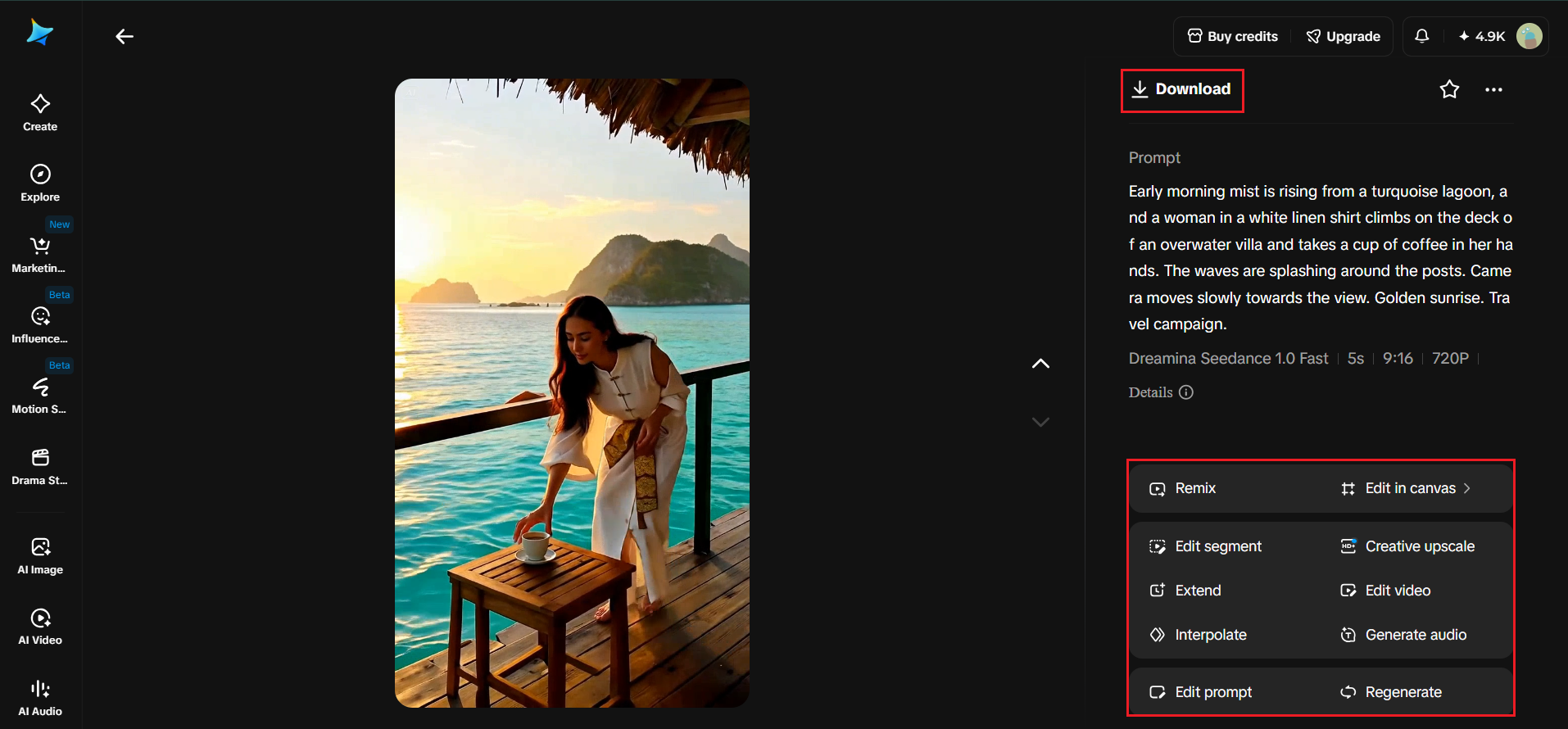
Example: Early morning mist is rising from a turquoise lagoon, and a woman in a white linen shirt climbs on the deck of an overwater villa and takes a cup of coffee in her hands. The waves are splashing around the posts. The camera moves slowly towards the view. Golden sunrise. Travel campaign.
Step 2: Create your video
Now, when you have added the image and prompt, select Seedance 2.5 as the model for generation. Select video duration, then select the desired aspect ratio – 16:9 for YouTube and your website or 9:16 for TikTok and Reels. Finally, hit the Dreamina icon.
Step 3: Improve & Export the video
Refine your video using the AI editing feature available on Dreamina. Use Upscale if you want to increase the resolution of the video and use 'Generate soundtrack' to add sound effects such as waves, birds chirping, and instrumental music to the video.
Seedance 2.5 upgrades for campaign polish
Premium travel work needs clean footage and room to tell a story, and a few upgrades in Seedance 2.5 help with both.
Longer shots that breathe
Single clips can run up to 30 seconds, double the earlier 15, which suits slow, unhurried travel shots like a boat crossing a lagoon. The ultra-long beta stretches further if you want a longer sequence.
Removing background noise
The model can separate or remove background music from reference material while keeping voices and subtitles. If you start from a clip with a distracting track, you can strip it out and add your own.
Less AI look, more natural light
Base quality has improved, with fewer signs of artificial smoothing and more physical texture. Sand, water and linen look more like the real thing, which matters when your product is the setting itself.
Many languages, one campaign
With focused optimization for Chinese, English, Spanish, Indonesian and Malay, plus coverage of several other languages, you can adapt a campaign for different markets without starting from scratch.
Writing for a global audience
Luxury travelers come from everywhere, and a resort that markets in one language misses a large part of its audience. Plan your video so the visuals carry most of the meaning, with only a few words of text or voiceover. That makes localization easier. Keep captions short and universal, like the resort's name and a single phrase. If you create separate versions for different markets, think about local details: the time of year, holiday seasons and what "remote" suggests in each place. A good translation gets the words right. A good adaptation gets the feeling right.
Pacing and the unhurried edit
In a luxury campaign, speed is the enemy. Let each shot last a few extra seconds, and let the camera move slowly, as if it has no reason to be anywhere else. Use long dissolves between scenes rather than hard cuts. Leave moments of stillness, like a pause on an empty beach or a slow fade to the horizon. If the sound includes music, keep it light and spacious. The edit itself should mirror the experience: no rush, no pressure, just time to look around. After a minute of that, viewers start to feel the calm for themselves.
Honest imagery and fictional resorts
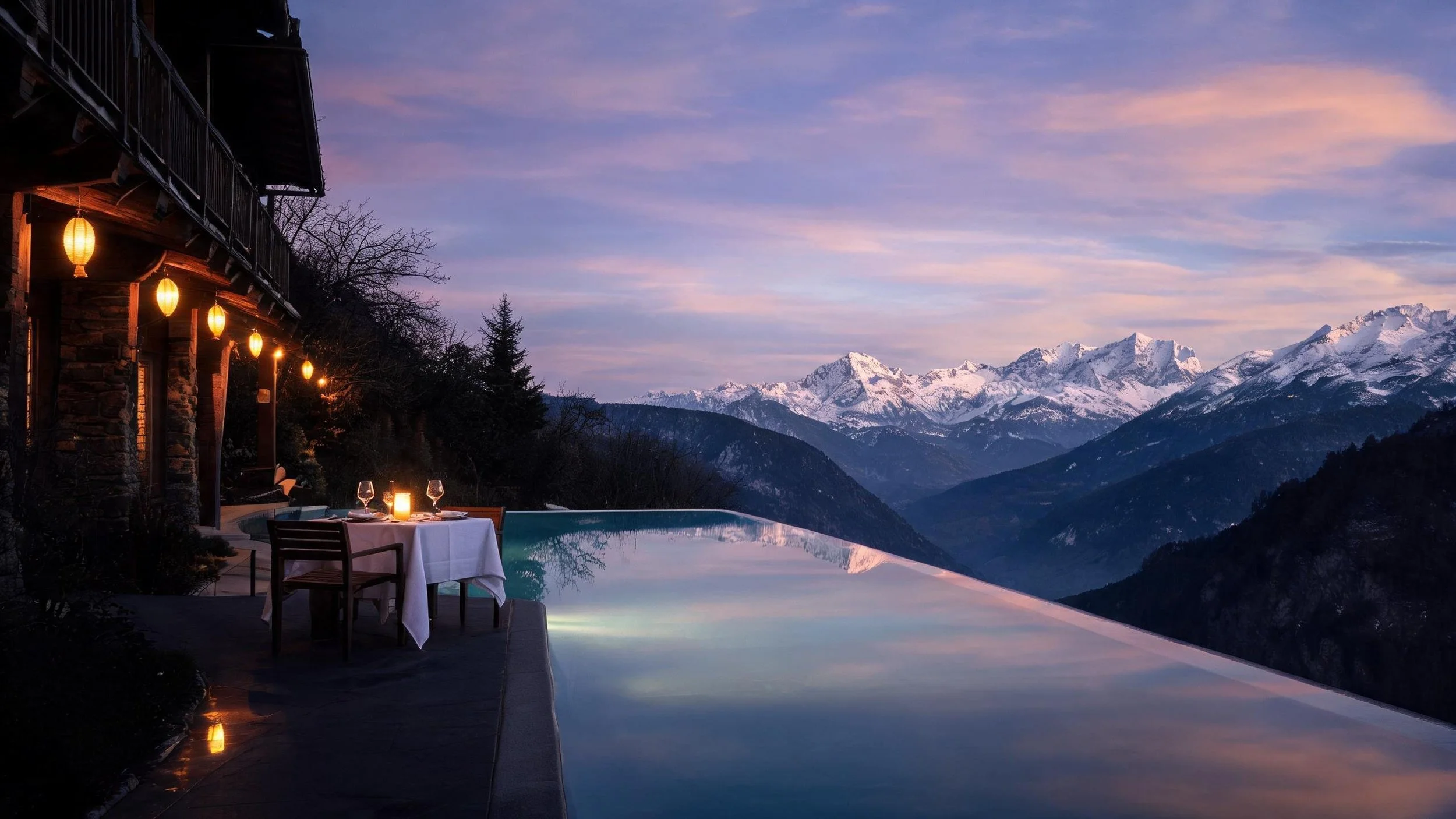
If you're working with a real resort, make sure the video reflects what guests will actually find. Overpromising on views, size or privacy leads to disappointed guests and bad reviews. If you're designing a concept campaign for a fictional destination, create your own name and design, and avoid copying real properties. Label concept pieces clearly as AI-generated. Using generated visuals to explore ideas is a smart way to plan, but the final marketing should be true to the place and the people who'll be there.
Final thoughts on selling distance
Remote luxury is about what's missing: crowds, noise, hurry. With an AI video maker and a few good stills, you can sketch that absence beautifully and test it before spending on a remote shoot. Choose one strong image, give the camera a slow job to do and let Seedance 2.5 keep the footage clean and natural. Upscale, add gentle sound and you'll have a campaign that invites viewers to leave the world behind for a while.